See picture:

You see 2 on the right corner and 1 on the left corner.
Problem is they are only coming when there is a travel from the inside top or bottom layer or infill to the outside perimeter in this case.
When the inside is empty or low infill, then there are no zilts. Even if there are retractions for every layer.
I used the calibration square from http://forum.makergear.com/viewtopic.php?f=3&t=3124
When I only use the 4 bottom layers and remove the infill and top layers, there are 4 zilts coming. For every bottom layer one. Above these 4 layers no zilts.
I tried a lot of things but they don't disappear.
I try to show it with the following screens. I removed the infill and top layers. Problem is the same as on the picture but now the zilts are only on the bottom 4 layers.
See this picture:

So even if there is no retract/extract action, the zilt is coming at the black arrow (start of (blue) perimeter).
I uses wipe of 8 mm in this picture. But not much difference when lowering this or switch off.
Extra restart distance of -0,2mm won't help (if there are retractions).
If there is a retraction for every layer then only a zilt is coming at the black circle. Also a travel from inside to perimeter.
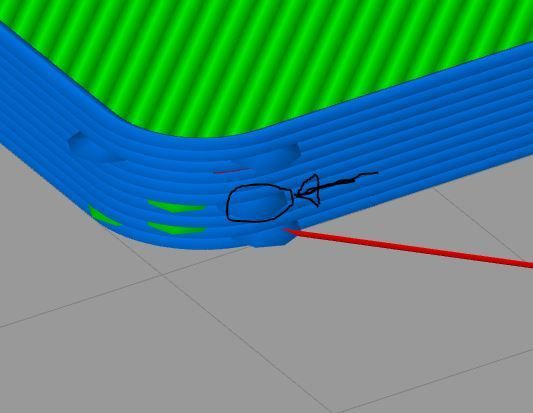
The other 3 are on the other sides of the cube.
For the little cube it is not a big problem. But when printing other stuff, the zilts are on more places. Not very nice.
I use a Prusa P3Steel. 0.4 nozzle, 0,2 layer height. Direct extruder, E3D look alike.
I see this on PLA, PETG and ABS. Picture is of PLA (195 degrees).
