my first post here, so far I got by by googling. I've been 3D printing on a home made CoreXY machine for 3 years now, about a year ago I transferred to Simplify3D. I use my printer as a tool to make car parts, both real and RC cars, and my new project involves stainless tubing so I print some weld els and other items to make a mock-up of the final idea, before cutting and welding any real steel.
Normally, I print els laying down. But since my heated bed relay failed (new one is ordered) I printed one upright. (Never mind the bottom setion, that fits into something else)
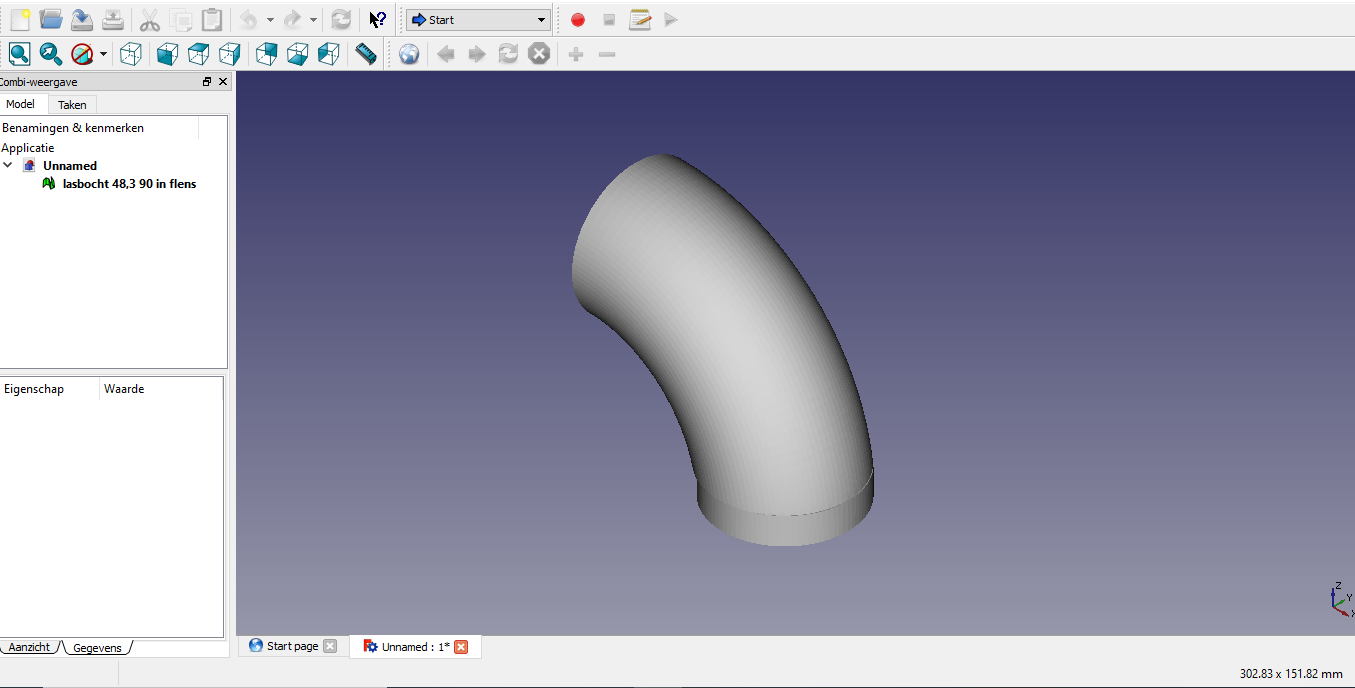
Drawn in FreeCAD, exported as STL, loaded in SF3D:
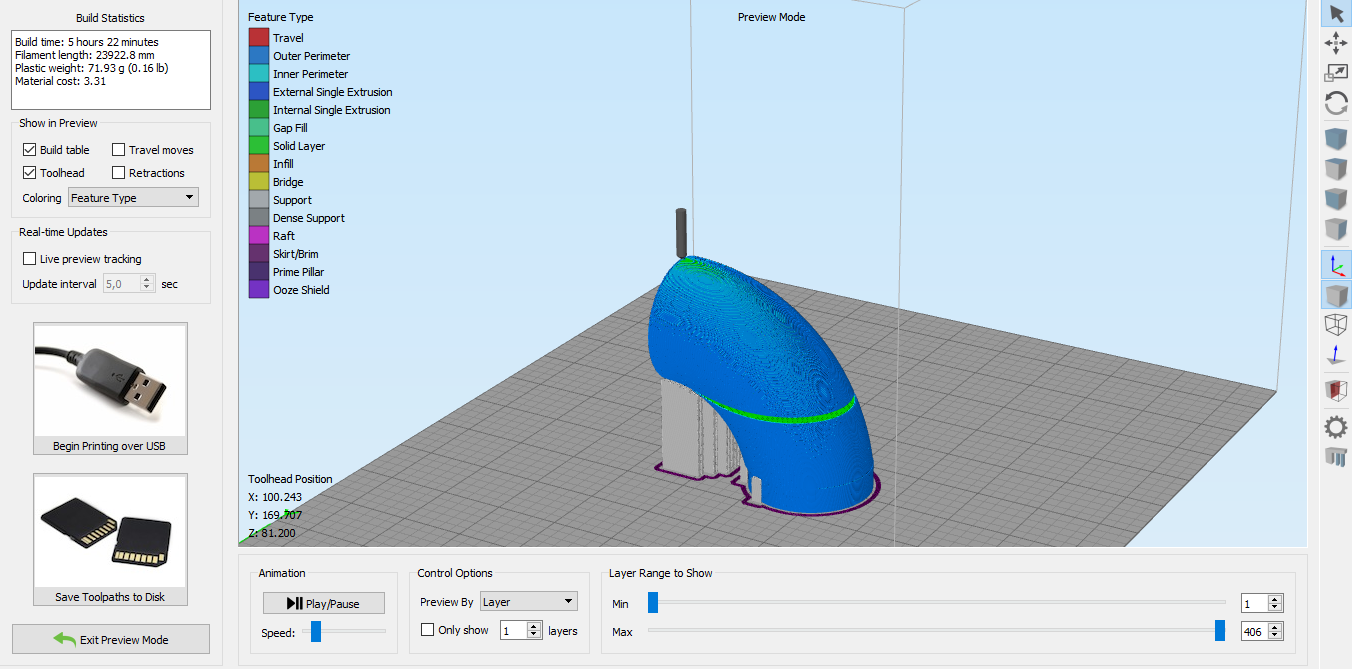
What I notice now but didn't notice when I created the print file yesterday, is the green layer in the middle, a solid layer. I did notice it this morning, however:
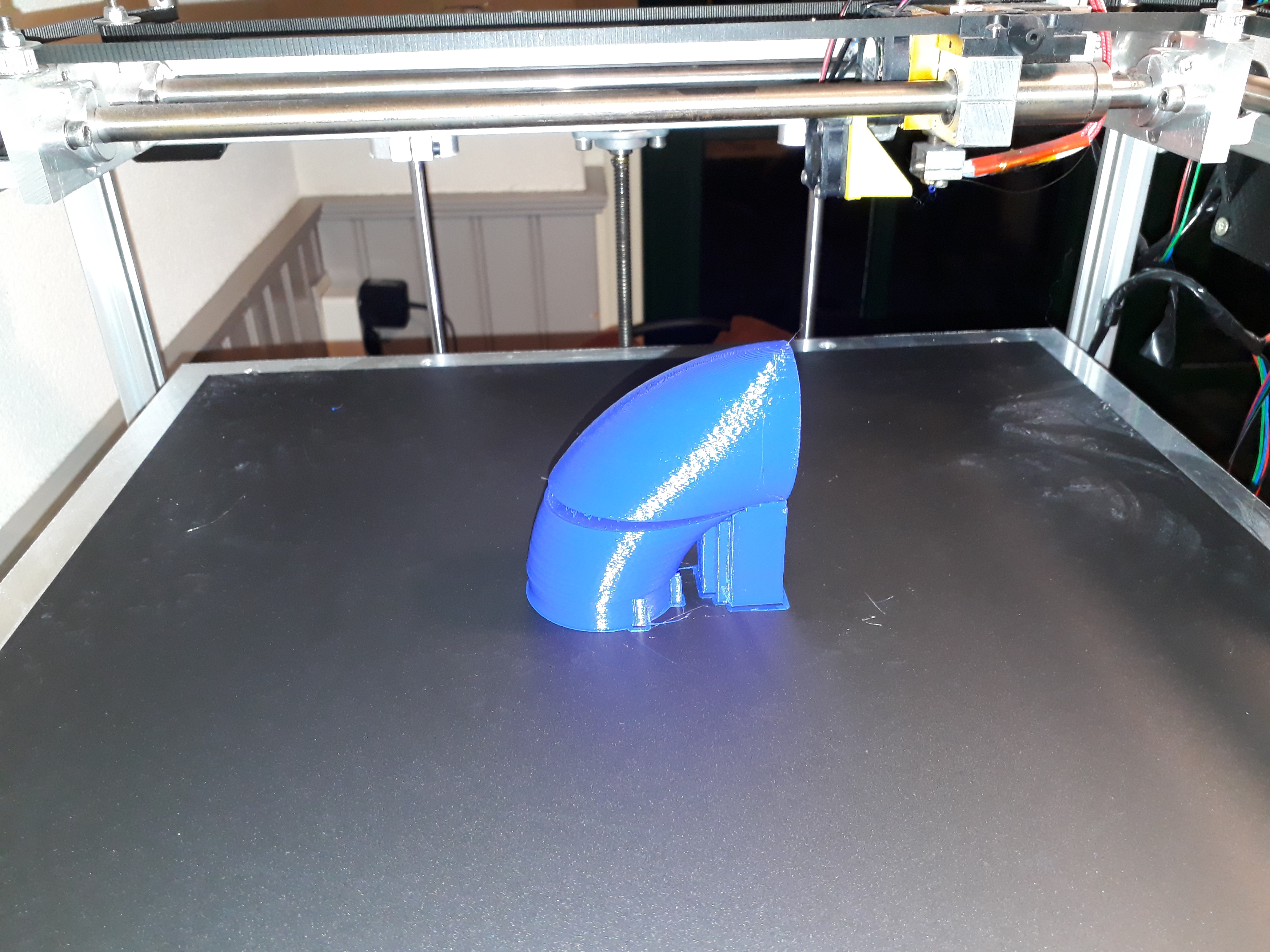
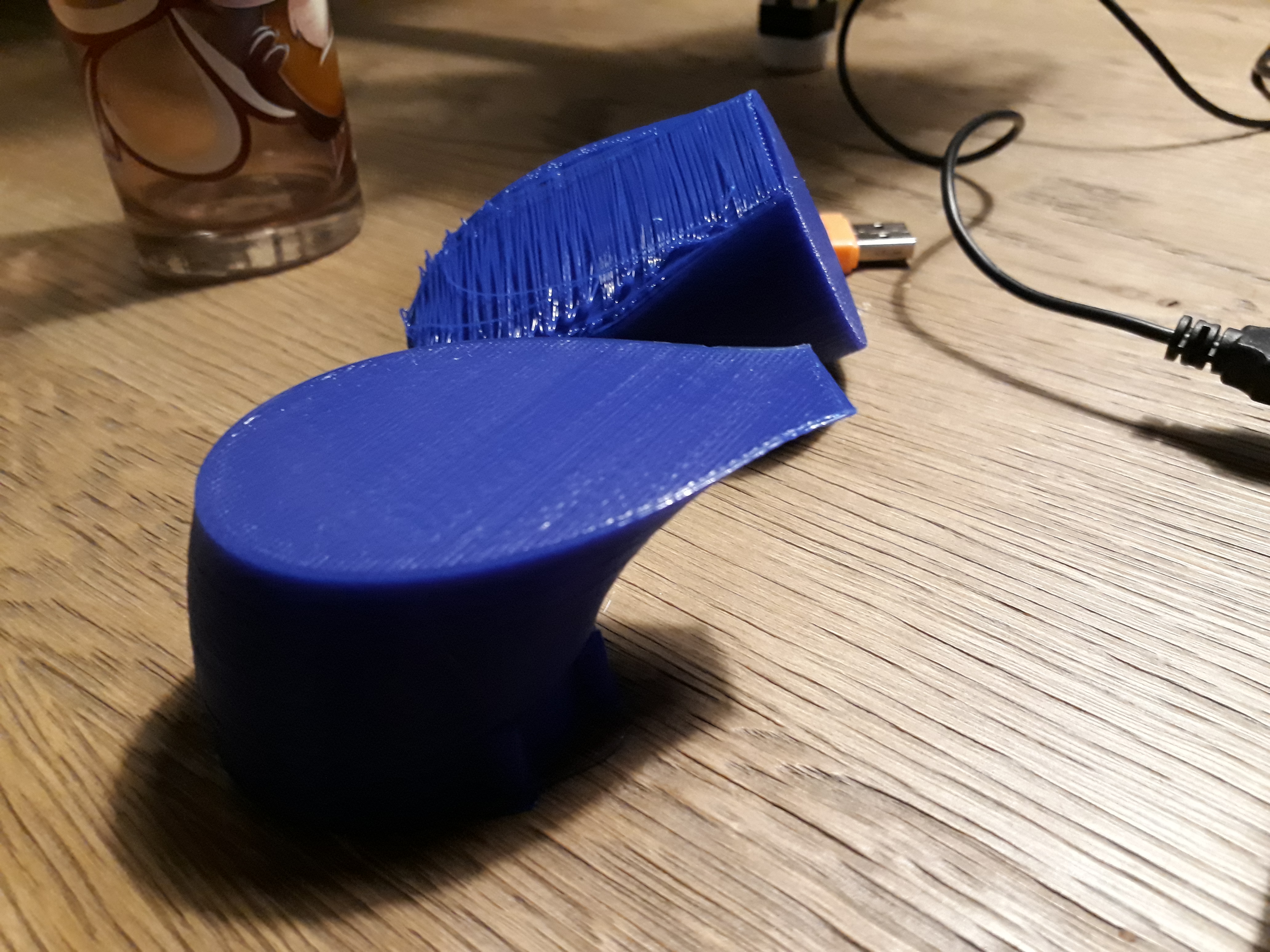
If been searching but I cannot figure out why this happens, and how I can prevent it. I'll just hot-glue this together so I can use it, as I hot-glue-weld together the els and tubes for the mock-up anyway, but this problem I want to understand and prevent in the future.
Thanks,
Hugo

