Page 1 of 1
Slicing Bug
Posted: Sun Nov 30, 2014 11:27 am
by laird
When I slice a complex plate, S3D fills in open areas.
Here are screen shots:
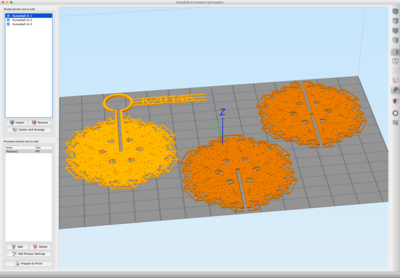
- STLs laid out (screenshot)
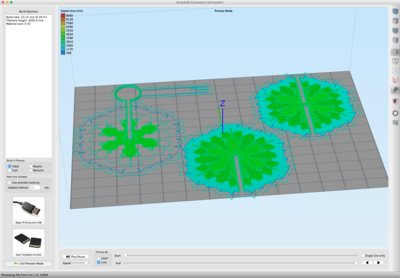
- Sliced
And one of the STLs:
Re: Slicing Bug
Posted: Sun Nov 30, 2014 11:28 am
by laird
And here are two more STLs.
I have this happen with many, but not all, similar files.
Re: Slicing Bug
Posted: Sun Nov 30, 2014 12:30 pm
by dsegel
It must be something in your settings. I'm not seeing the same problem when I slice it.
Re: Slicing Bug
Posted: Mon Dec 01, 2014 9:11 am
by laird
And the same sort of files used to slice fine for me, too. I don't think I made any settings changes when this behavior changed. But perhaps some file got corrupted?
Anybody have any suggestions?
Re: Slicing Bug
Posted: Mon Dec 01, 2014 9:32 am
by laird
Re-ran all the config's (firmware, printer, built new profiles) and now the slicing is fine. So I am not sure what got corrupted to make slicing behave like that, but now it's working, and I have a work-around if it happens again.
Beats having to use MakerWare.

Re: Slicing Bug
Posted: Mon Dec 01, 2014 10:03 am
by habloIngles
for the two snowflakes on the right it looks like the Merge All Outlines in the Advanced tab might have been applied to those. The one on the far left looks like it possibly left out some parts of the model due to a high extrusion width being applied to thin walls.