Page 1 of 1
"Avoid Crossing Outline for Travel Movements" - Working?
Posted: Tue Jul 14, 2015 1:07 am
by mitchfx
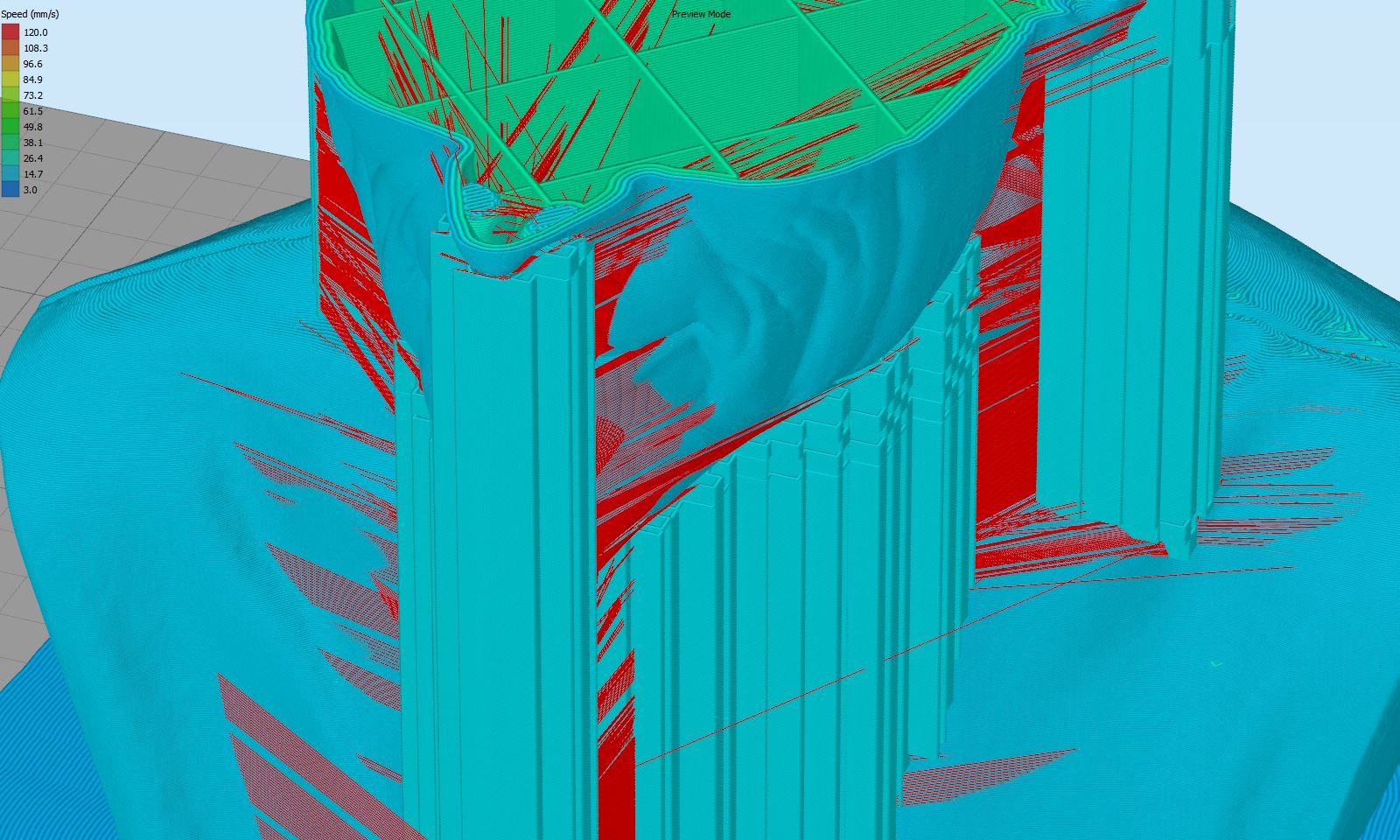
I'm trying to use the "avoid crossing outline for travel movements" option under advanced to prevent my nozzle from crossing over the perimeter shell when moving from one support area to the next but it doesn't seem to have any effect. Even if I set the Maximum Allowed Detour Factor to 100.0 it still crosses right over my outlines and creates a nasty artifact on my surface.
Is there any way to make this work? Here is a screenshot.
Re: "Avoid Crossing Outline for Travel Movements" - Working?
Posted: Tue Jul 14, 2015 6:47 am
by JoeJ
You're already outside of the outlines when your printing the supports. That's why it doesn't work there.
That feature will divert the travel paths to keep the extruder over top of your infill so that it doesn't cross the outer perimeters. But again, if you're already outside of those perimeters, then it won't be effective.
Re: "Avoid Crossing Outline for Travel Movements" - Working?
Posted: Tue Jul 14, 2015 9:19 am
by mitchfx
That's a bummer. Any chance of having an option added to prevent the travel moves from crossing over existing outline shells when doing supports? Even if it takes much longer it would really help improve surface quality. Thanks!
Re: "Avoid Crossing Outline for Travel Movements" - Working?
Posted: Tue Jul 14, 2015 10:04 am
by JoeJ
Well you can always make a feature request for it on the other sub-forum. Or email their support staff if you need to talk to one of the employees.
Re: "Avoid Crossing Outline for Travel Movements" - Working?
Posted: Thu Jul 16, 2015 7:37 am
by bapro
I agree with mitchfx. This is a great feature but it only works well if there is no support material. There should be an option to include support material. I would use it no matter of extra print time.