Page 1 of 1

Bad retraction settings with different nozzle size

Posted: Sun Sep 27, 2015 3:40 pm
by singhm29
Hey everyone,

So I have gotten a handle on my E3D volcano setup somewhat with success on the 0.4 nozzle. Still needs work but im getting acceptable prints that look pretty good and are useable.

Retraction settings
Retraction distance 0.45
Extra restart distance 0.05
Retraction vertical lift 0
REtraction speed 3000
Coasting distance ON 0.08
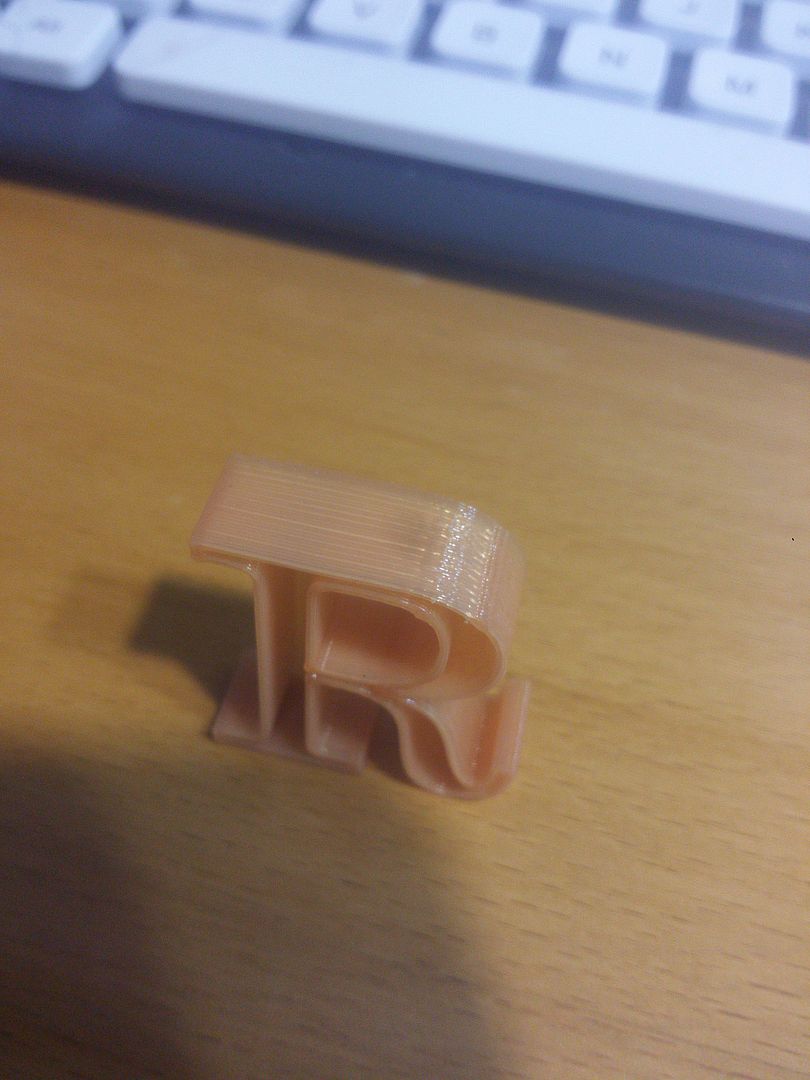
Image

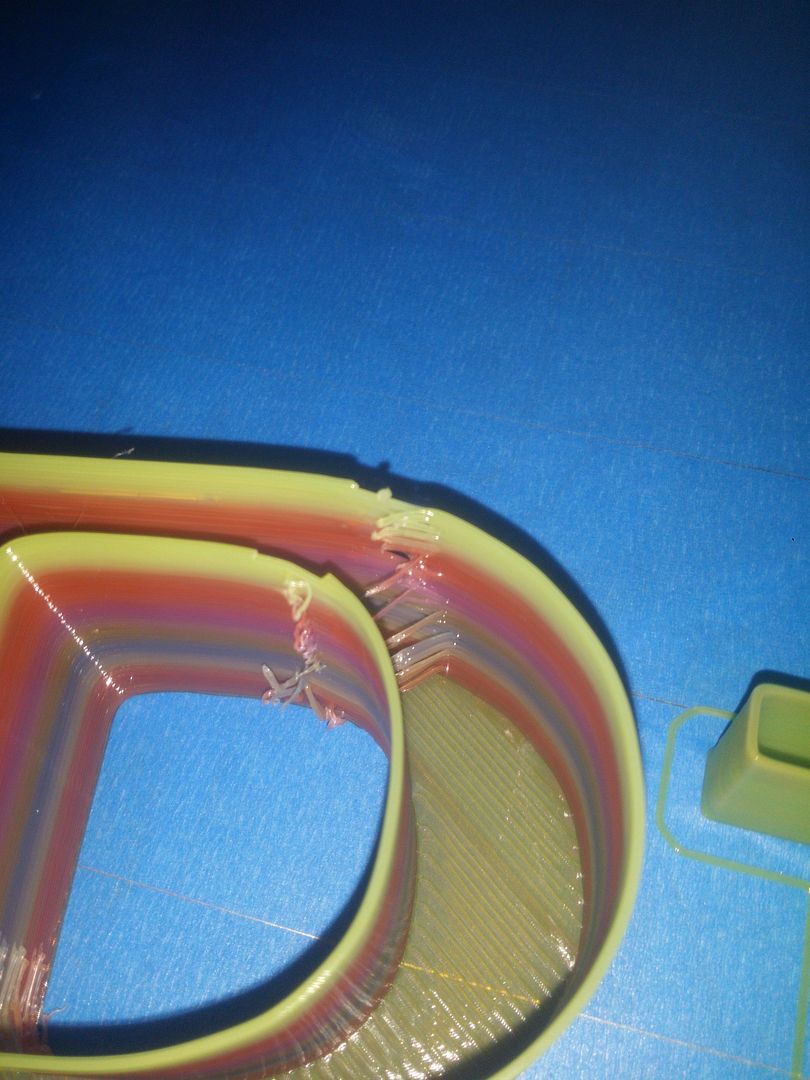
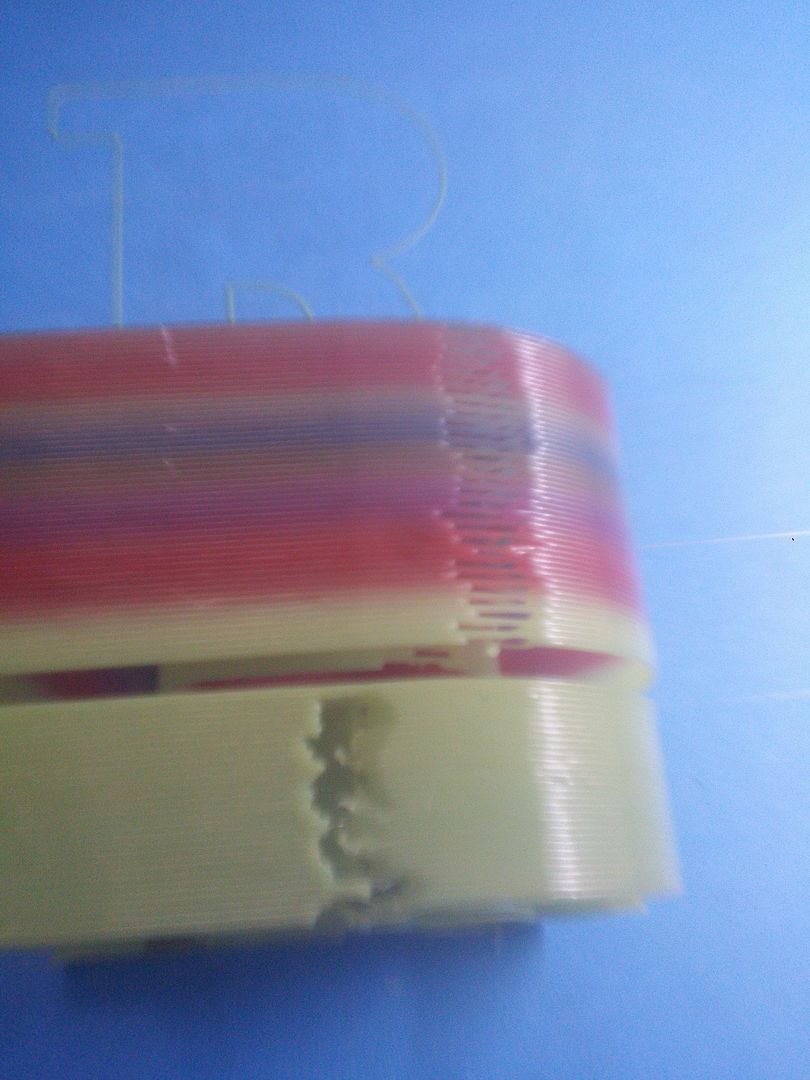
Now when I tried taming the 1.2mm nozzle at .9 layer heights using the same retraction settings it did not work out well.
Image

Dont mind the second print below in green that was just me trying a different combination and comparing the two
Image

Any ideas why I am geting such a drastic difference?
Additional notes:
-I was getting grinded filament quite a bit after changing back to the 1.2 nozzle which I think I widdled down to the filament not feeding freely enough.
-.9 was printed at 30mm/s and 210 temperature
-.4 was printed at 70mm/s at 195

Re: Bad retraction settings with different nozzle size

Posted: Sun Sep 27, 2015 4:23 pm
by jimc
different nozzle sizes will always react differently and each size will need it own fff settings. the 1.2 will end up having alot less back pressure so as nozzle size increases you will need less or no coasting.

Re: Bad retraction settings with different nozzle size

Posted: Sun Sep 27, 2015 11:03 pm
by singhm29
jimc wrote:different nozzle sizes will always react differently and each size will need it own fff settings. the 1.2 will end up having alot less back pressure so as nozzle size increases you will need less or no coasting.
Exactly the kind of information I was looking for. Ill look into correcting that and report back.

Re: Bad retraction settings with different nozzle size

Posted: Thu Oct 08, 2015 8:23 pm
by singhm29
This is my latest result with
0.8 Nozzle
Retraction distance 1mm
Extra restart distance 0.05
Retraction vertical lift 0
REtraction speed 3000
Coasting distance OFF
Wipe 5mm

If anyone can help tell me whats going on it would be hugely appreciated! (sorry for the notification buzzing lol)

Image

Re: Bad retraction settings with different nozzle size

Posted: Fri Oct 09, 2015 1:25 am
by PinballGeorgio
How about the speed you are printing with? Printing with thick layers like this ask much from the extruder steppers, so the speed has to lower otherwise the filament will move to quick from retraction to printing. How about your filament holder? Is there any tension?
Looks like your printer had problems from retraction to filament feeding, it's a big move at 0,9mm from retraction to starting extrusion.

Re: Bad retraction settings with different nozzle size

Posted: Fri Oct 09, 2015 6:55 pm
by jimc
you may not even need any retraction at all. also try and lower your printing temp as well. drop it by 10 deg and see what happens. retraction when the plastic is too liquidy i have found can cause this or atleast no help the situation. possibly turn off the wipe function too. drop temp 10 deg, reduce retraction to 0.6mm and wipe off. if you get a blob then turn coast on something low. start out with 0.4-0.6.

Re: Bad retraction settings with different nozzle size

Posted: Sun Oct 11, 2015 12:27 am
by singhm29
How about the speed you are printing with? Printing with thick layers like this ask much from the extruder steppers, so the speed has to lower otherwise the filament will move to quick from retraction to printing. How about your filament holder? Is there any tension?
Looks like your printer had problems from retraction to filament feeding, it's a big move at 0,9mm from retraction to starting extrusion.
Print speed was 2700mm/min with 80% for outline solid and support. My acceleration settings for retraction is at 1500 along with my normal acceleration which I have been trying to figure out is too high of a value.
you may not even need any retraction at all. also try and lower your printing temp as well. drop it by 10 deg and see what happens. retraction when the plastic is too liquidy i have found can cause this or atleast no help the situation. possibly turn off the wipe function too. drop temp 10 deg, reduce retraction to 0.6mm and wipe off. if you get a blob then turn coast on something low. start out with 0.4-0.6.
Not having any retraction at all would definitely be interesting maybe ill give that a go then adjust slowly depending on the results.
What indication made it seem like a temperature drop made sense? I actually was feeling the opposite as when I was printing at 195 it felt like I was getting bad layer adhesion and thought it might make sense to print hotter at such layer heights. Will definitely try out all the ideas though and report back!