Page 1 of 1

[FIXED] Bridging and Perimeters Speed

Posted: Sun Dec 06, 2015 9:40 am
by skelator
Hi,

I'm trying to fine tune my mendelmax 1.5 but still stuck with bridging and perimeters, bridge seem to print fine but perimeters does not

S3D 3.0.2
windows 10 64bit

My setting
s3d
s3d
example:
S3d
S3d
A quote from https://jinschoi.github.io/simplify3d-docs/:
The Bridging extrusion and speed multipliers make modifications to extrusion and speed during bridges. You may have to experiment with these to find a combination that works well for your printer. I have found a combination of slower speeds and slower extrusion aids with bridging, but your mileage may vary. There also appears to be a bug, where perimeters that are also part of a bridge are printed using the perimeter settings rather than the bridging settings.
are the statement above still true? because it seem like it

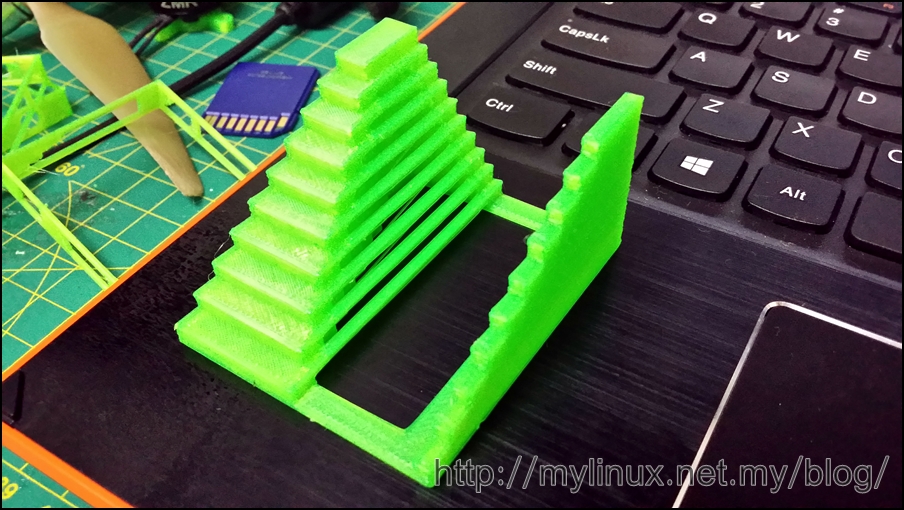
my slic3r setting: http://mylinux.net.my/blog/2014/06/16/r ... 3r-config/ which print this fine but failed with S3D

Image

Re: Bridging and Perimeters Speed

Posted: Mon Dec 07, 2015 5:53 pm
by horst.w
I have testet it at this moment.
Generell speed up to 135 mm/s, bridging 30%

It is very clear, the outer-perimeters have a speed round aboud 40 mm/s, the inner-perimeters a little bit more, perhaps 50 mm/s and the solid Infill-aerea is the only one declarated as Bridge.

You can see this in Show - in - Print-Preview - FeatureType or Movement Speed.

You have a big difference between the slicers bridging speed : 65 mm/s / 70% and 80 mm/s / 25% , that makes ~ 50mm/s // 20 mm/s, not really comparable.
The higher speed ist the better solution (for me) but it is always to regard the absolute value. Best for me 30 - 40 mm/s. And there are differences between e.g. PLA and ABS caused by the higher viscosity of it.
An other problem may be the retract. Try the bridging in a 2nd process without retract.
And don't forget the bridging fan-speed!

H.
BridgingSpeed.jpg
FeatureType.jpg

Re: Bridging and Perimeters Speed

Posted: Tue Dec 08, 2015 10:12 am
by skelator
Hi,

my problem now is more to the speed and extrusion of the perimeters bridge speed seem to be fine at 70% speed with 25% extrusion multiplier, during print I can see the bridge printed ok, just not my perimeters, from preview i can see bridge and perimeters printed at the same speed now (new setting) but extrusion multiplier S3D used the defaults from the extruder setting while for bridging we have a different multiplier setting which I set to 25%

preview test 01
preview test 01
preview test 01
speed test 01
test speed 01
test speed 01
my Extruder multiplier is set to 1.5 i got this value while calibrating this with slic3r using this guide:

http://zennmaster.com/random-things/rep ... ine-tuning

Re: Bridging and Perimeters Speed

Posted: Tue Dec 08, 2015 2:41 pm
by horst.w
I know, it is a real problem and I don't know why S3D doesn't declarate the outer perimeters so as they do it with the inner perimeters.
But the real speed is counting and my example with 135 mm/s (theoretical) shows that the speed is reduced to an agreeable value, so that we can say: it works.

I believe also there is a bug, but what we can do?

The first filament for a bridge is the basement for all that will follow. The extruding filament out of the nozzle must be stick nearby so that it binds the two towers together with a strait on horizontal line.

To reach this, I think that

- the cooling must be running
- the extrusion must be reduced
- the speed must be reduced too.
to allow the plastique to cool down as fast as possible.

The measure for this is to be find out and depending from material (PLA or ABS e.g.), distance between the towers and all other parameters of the print.
And it ist necessary that the nozzle does not lose the contact to the towers when bridging is starting. It needs a solid overlap of them.

Your first picture shows a hanging perimeter. I would say, in this case the quantity of extruded filament was to high and it hasn't cooled down enough relative to the movement of the print-head. It is a very small window for all responsible parameters to build a well done bridging. The amount of all is everytime 1.

The best of all strait on horizontal standing filaments I have produced by my own failure: I had forgotten to switch on the retract and when the print was finished and the toolhead was going with travelspeed to X-Home, it pulls out a filament as strait as a filament can be.
So it may be perhaps helpfull for certain materials and conditions to boost the speed.

H.

Re: Bridging and Perimeters Speed

Posted: Wed Dec 09, 2015 12:55 am
by skelator
horst.w wrote:I know, it is a real problem and I don't know why S3D doesn't declarate the outer perimeters so as they do it with the inner perimeters.
But the real speed is counting and my example with 135 mm/s (theoretical) shows that the speed is reduced to an agreeable value, so that we can say: it works.
agree I havent really bump up my overall speed as your test might as well give it a go
I believe also there is a bug, but what we can do?
not much but report :)
The first filament for a bridge is the basement for all that will follow. The extruding filament out of the nozzle must be stick nearby so that it binds the two towers together with a strait on horizontal line.

To reach this, I think that

- the cooling must be running
- the extrusion must be reduced
- the speed must be reduced too.
to allow the plastique to cool down as fast as possible.
- I have 3 fan, 1 for heatshink 2 for active coolling and 1 desk fan blowing to the printer :)
- if I reduce my overall extrusion multiplier in the extruder tabs I will be getting under extrusion for my print, there is no option to reduce multiplier for those external perimeter when bridging
- did slow down it to 20 mm/s but my printer is overstruding plastic for outer perimeters, bridging are as ok as I can reduce the extrusion multiplier
The measure for this is to be find out and depending from material (PLA or ABS e.g.), distance between the towers and all other parameters of the print.
And it ist necessary that the nozzle does not lose the contact to the towers when bridging is starting. It needs a solid overlap of them.
My mendemax can only print PLA, for ABS I have a flashforge dreamer which is work great but I still need to print PLA with large build platform :)
Your first picture shows a hanging perimeter. I would say, in this case the quantity of extruded filament was to high and it hasn't cooled down enough relative to the movement of the print-head. It is a very small window for all responsible parameters to build a well done bridging. The amount of all is everytime 1.
agree the amount of plastic extruded always used the multiplier set on the main extruder
The best of all strait on horizontal standing filaments I have produced by my own failure: I had forgotten to switch on the retract and when the print was finished and the toolhead was going with travelspeed to X-Home, it pulls out a filament as strait as a filament can be.
So it may be perhaps helpfull for certain materials and conditions to boost the speed.
H.
wont S3D will increase the extrusion when we bump up the speed even more in order to keep up with the extrusion multiplier? that what I having right now to much plastic extruded regardless of speed I set for outer perimeter while bridiging

Re: Bridging and Perimeters Speed

Posted: Fri Oct 13, 2017 5:46 am
by S3D-Jason
There also appears to be a bug, where perimeters that are also part of a bridge are printed using the perimeter settings rather than the bridging settings.
Even though this is an old topic, I still wanted to make sure it was updated to let people know that this issue has now been fixed in Version 4.0. You can now choose the exact settings that are used for the perimeters of the bridging regions. Just go to the Other tab and enable the "apply bridging settings to perimeters" option.

There are many other bridging improvements in this version as well, so you can read about a few of the other ones near the bottom of this page:
https://www.simplify3d.com/software/rel ... ion-4-0-0/

Thanks for reporting the issue!