Page 1 of 2
Calibration Cube looks awful, looks great in CURA
Posted: Thu Mar 10, 2016 10:44 pm
by zerb
so, been chasing an issue here for a little while as ive been dialing in my new lulzbot mini. it as determined a week or so back that my ABS had become contaminated and thats why my prints look like crap. dried it out, did some testing tonight...and the Simplify3D results....are pretty awful.
printed this test cube, that i made in fusion360 so i know its 20x20x10, and im not even going to bother with listing the measurements because at this point they are irrelevant.
heres the factory file. hopefully someone can get me going in the right direction here.
.50mm nozzle
Auto Extrusion width
.20 layer height
100 percent infill
black ABS @240, bed @ 100
Simplify3D
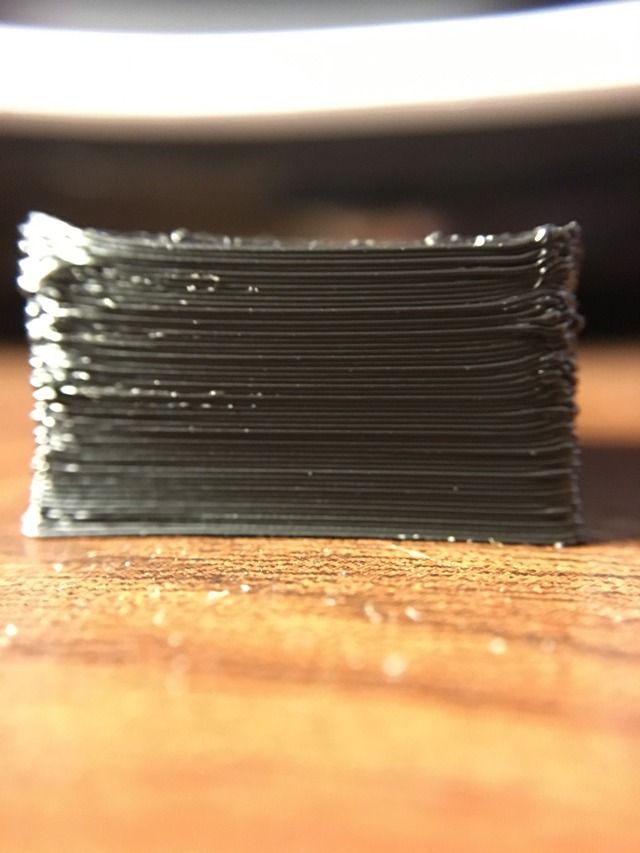
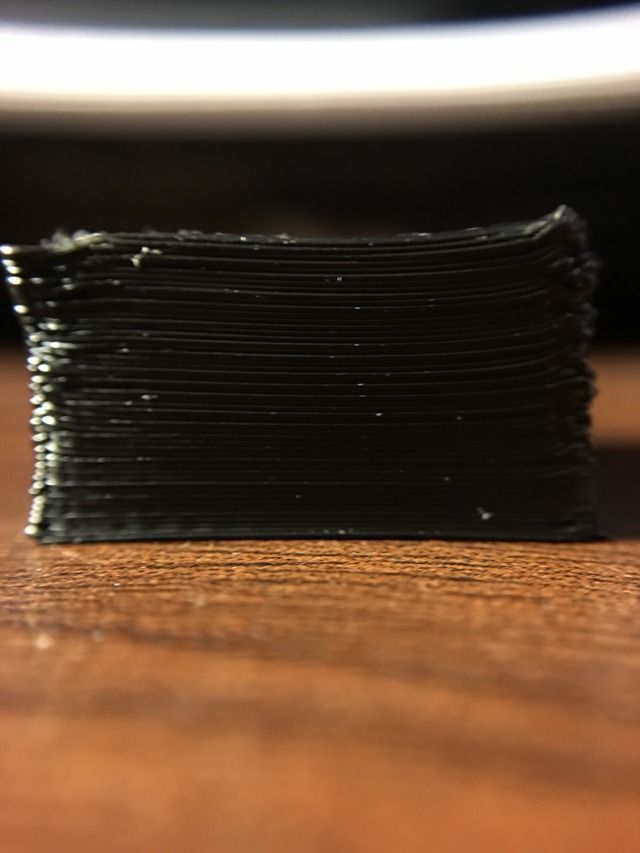
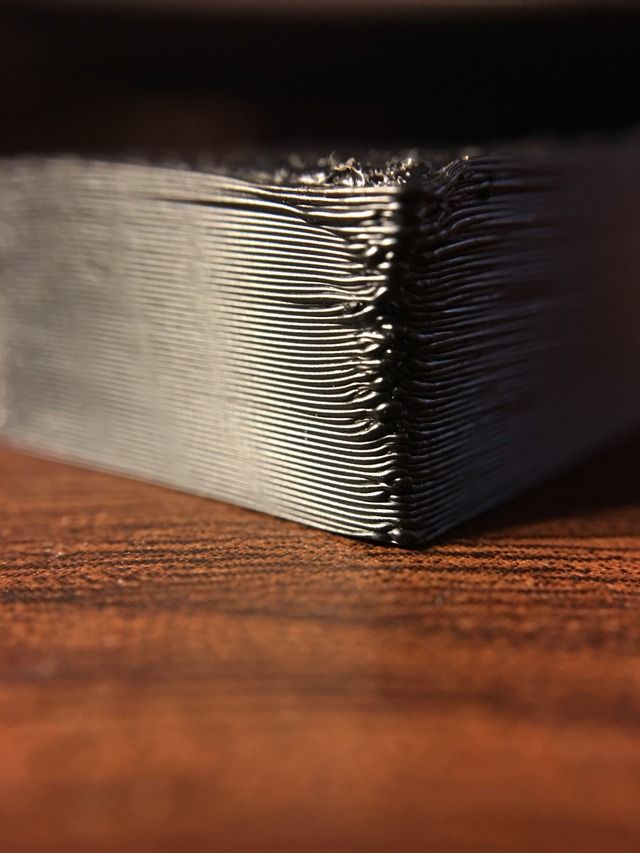
CURA
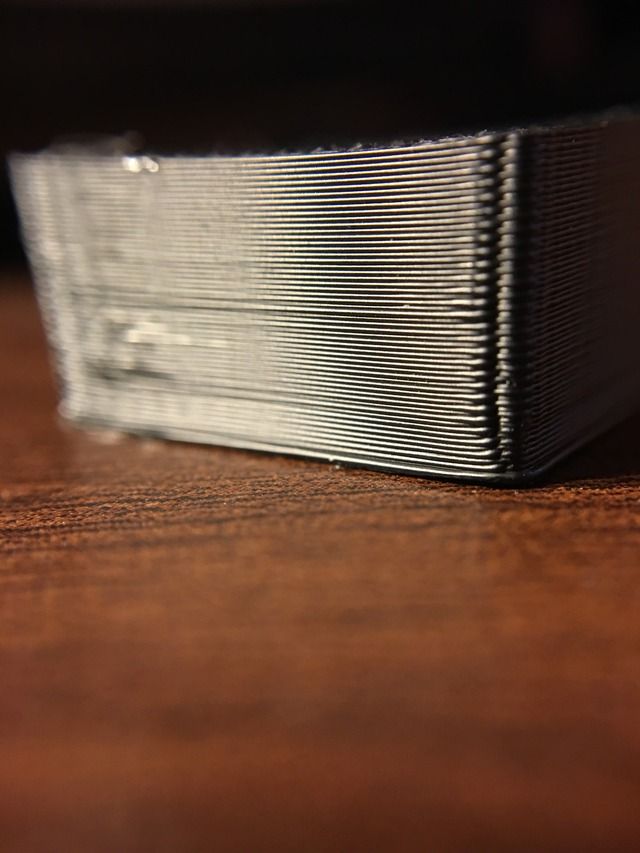
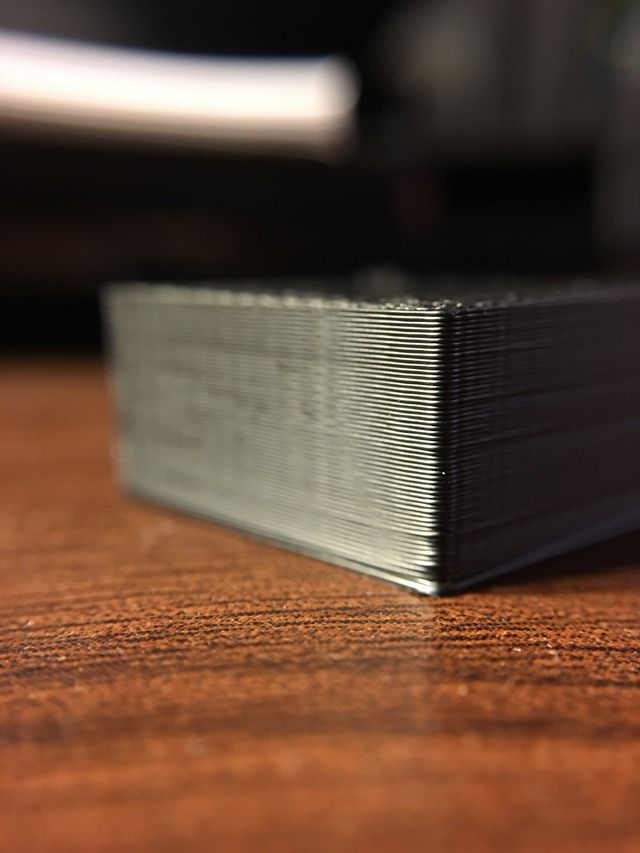
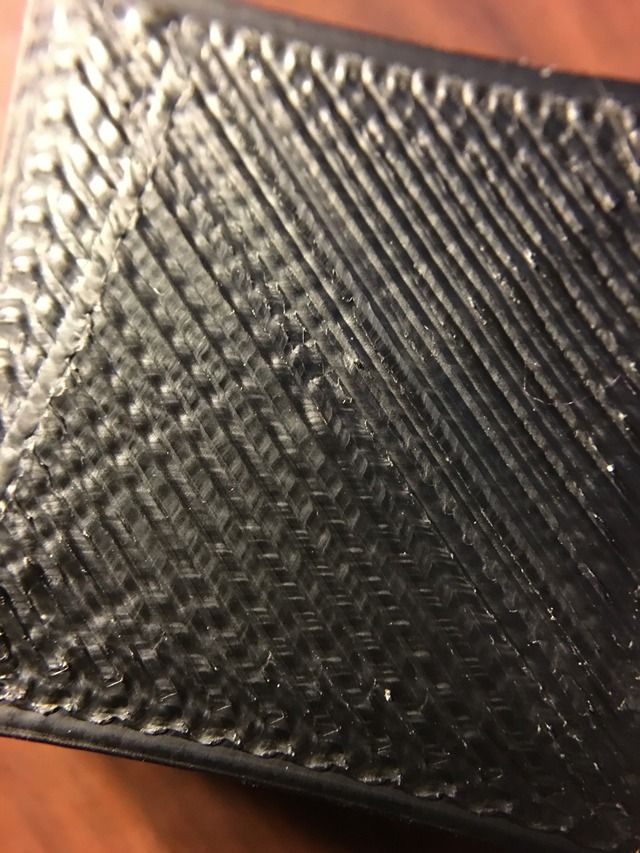
Re: Calibration Cube looks awful, looks great in CURA
Posted: Fri Mar 11, 2016 5:42 am
by CompoundCarl
That just looks like simple overheating. You can see pretty obviously that the corners are curling up, so that's definitely going to make the print look bad. You can adjust temperature, speeds, cooling settings, and the blower fan to help with that. They actually have a section devoted to this exact issue on their print quality guide page:
https://www.simplify3d.com/support/prin ... gh-corners
Also - are you using the stock S3D profile for the lulzbot mini or did you make some changes yourself?
Re: Calibration Cube looks awful, looks great in CURA
Posted: Fri Mar 11, 2016 7:05 am
by zerb
that is the stock setting from S3D. i was chasing some other issues a week ago and it was determined that it was the filament that was giving me problems..i printed in CURA and S3D and was having awful end results with both. Although i did read that Print Troubleshooting guide and like you said thought it could be temperature related, the exact same temp setting in CURA produced what you see i posted above. The prints were done literally one after the other, which definitely made me think it could be another issue.
Re: Calibration Cube looks awful, looks great in CURA
Posted: Fri Mar 11, 2016 11:04 pm
by dloaec
Re: Calibration Cube looks awful, looks great in CURA
Posted: Sat Mar 12, 2016 8:50 pm
by KC_703
The best thing to do is to compare each setting from Cura to S3D.
From the print guide, it looks like S3D is extruding hot. The default profile is a good start, but definitely needs tweaking. Filaments vary from brand to brand with varying extrusion temps... check the manufacturers recommendation which are often on the spool itself.
Re: Calibration Cube looks awful, looks great in CURA
Posted: Sun Mar 13, 2016 1:29 am
by zerb
KC_703 wrote:The best thing to do is to compare each setting from Cura to S3D.
From the print guide, it looks like S3D is extruding hot. The default profile is a good start, but definitely needs tweaking. Filaments vary from brand to brand with varying extrusion temps... check the manufacturers recommendation which are often on the spool itself.
AgaIn. The temps were exactly the same from CURA to S3D for the prints you see above. So I didn't see how it could be the temperature then. Regardless, I will play around some tomorrow and see what I can get.
Re: Calibration Cube looks awful, looks great in CURA
Posted: Sun Mar 13, 2016 8:44 am
by tri-lite
I've had that exact same problem with corners that seemed to get larger and higher on each turn! A couple solutions have already been suggested, but I thought you'd be interested to know that your photos look exactly like the photos on the "curling corners" page of the Simplify3D Troubleshooting Guide:
https://www.simplify3d.com/support/prin ... gh-corners
The Guide diagnoses the potential problems and suggests several solutions.

The overall Guide has very helpful photos and instructions - it's a print-saver!
https://www.simplify3d.com/support/prin ... eshooting/
Re: Calibration Cube looks awful, looks great in CURA
Posted: Sun Mar 13, 2016 11:25 am
by zerb
How much should I expect the settings to differ from S3D to CURA? I mean all I did was copy and paste the exact same settings that got me that nice cube in CURA into S3D and it produced that terd. I guess I'm just not understanding how that can happen.
Re: Calibration Cube looks awful, looks great in CURA
Posted: Mon Mar 14, 2016 1:28 pm
by WizarDru
At a guess it may be OTHER settings that you copied over (or equally likely, settings that you didn't). I know that when I tried to use some selected settings from Cura in Simplify3D, the results were not great. I started over by creating the default profile and then doing some dialing-in and had much better results.
There are several things that might cause the behavior you are seeing, even with some of the settings being the same. Simplify3D appears to have a lot more settings (or really, much easier access to those settings) than Cura. Things like the width and height of the first layer, for example. I would guess that your temperature settings are interacting with other settings (which are present in one slicer and not in the other) that are fouling up the print.
My first test would be to make a completely new profile from the default for your printer and print the cube. Then change the temperature settings and see what happens next, then start testing settings as you go.
Re: Calibration Cube looks awful, looks great in CURA
Posted: Mon Mar 14, 2016 4:17 pm
by dkightley
My first test would be to make a completely new profile from the default for your printer and print the cube. Then change the temperature settings and see what happens next, then start testing settings as you go.
I second this suggestion. I'd even go further and try and forget about Cura and its settings. These are two different pieces of software that have been written by two separate teams of designers, and changing a non-basic setting in one system is likely to have a different effect than changing the setting of the same name in the other.


