Page 1 of 1

X & Y Bed Alignment Issues

Posted: Sat Mar 26, 2016 11:55 am
by r0n_dL
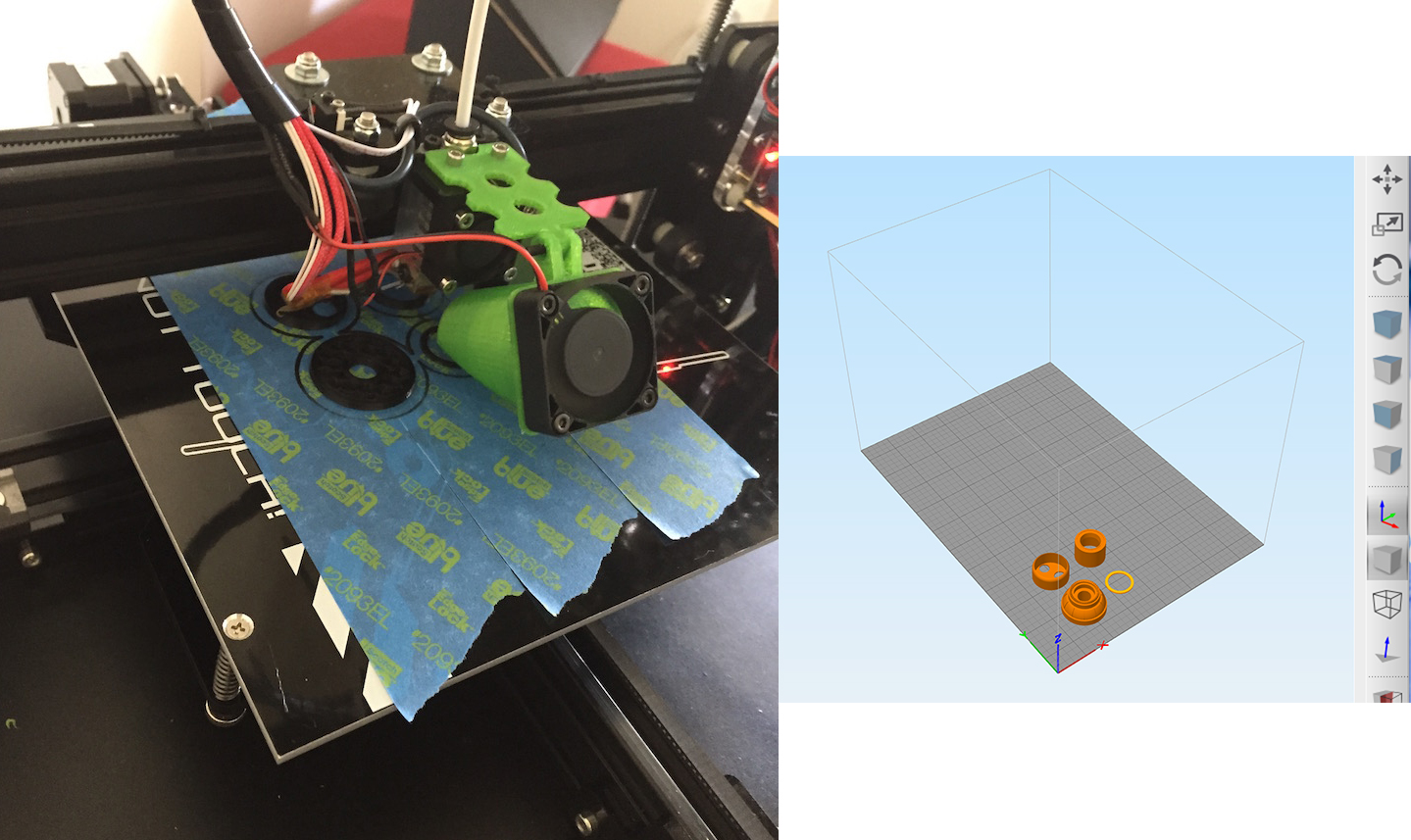
Having issues with bed size and alignment. I made the changes to the configuration.h file as suggested but still having issues. This issue is preventing me from print large lengthwise prints.

I'm using a TEVO Tarantula Prusa i3 w/large bed 200x280x200

Configuration.h changes
Line 326 ‪#‎define‬ INVERT_Y_DIR false
Line 342 #define X_MAX_POS 220
Line 344 #define Y_MAX_POS 280
Line 246 #define Z_MAX_POS 200
Line 478 #define MANUAL_X_HOME_POS 0
Line 479 #define MANUAL_Y_HOME_POS 0

Placing the parts in Simplify3D is completely off see pic. Any suggestions?
Image

Re: X & Y Bed Alignment Issues

Posted: Sun Mar 27, 2016 3:40 pm
by CompoundCarl
Looks like your printer offsets may be incorrect. Here's a similar thread with an easy test that should help troubleshoot: viewtopic.php?f=9&t=3445#p15077

Post the results of that test here and perhaps we can help :D

Re: X & Y Bed Alignment Issues

Posted: Sat Jul 23, 2016 11:41 am
by earl80
Hi, i ordered my TEVO Tarantula Prusa i3 with large Bed and autoleveling...

Can you share your configuration Profile?

Re: X & Y Bed Alignment Issues

Posted: Sun Jul 24, 2016 8:32 pm
by greybeard
I know nothing about your machine but, I changed the config file for my Prusa i3 - no problems…

I also enabled sdcard saving of the Eeprom (and more…).

Info / tips:
* Ensure it actually uploads (not just compiles) and says “done” in the Arduino IDE

* Open the Serial Monitor in Arduino and reboot the printer - the serial monitor should show the date, several parameter/values and text from the STRING_CONFIG_H_AUTHOR, which you can change in the .h file.

* Did you also change the bed settings via your LCD ? (you should - in my Prusa, they override the firmware and simplify settings).

* Also - I noticed Arduino 1.6.11 does not upload well at all to my printer or other boards and stand-alone bradboard, but, 1.6.10 does... It's the only one that worked on my Prusa...