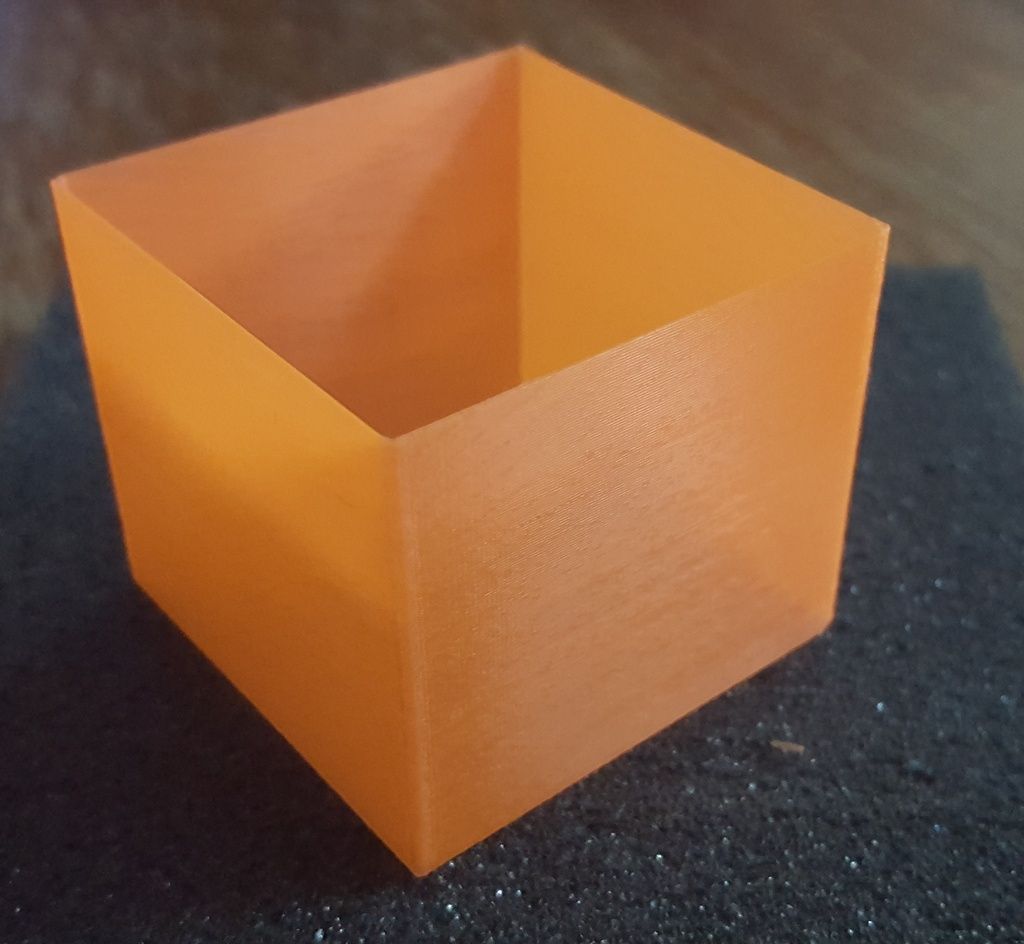
Test cube a bit short
I am working on calibration with a 20 X 20 X 2mm cube. Whether I print just 1 shell no infill, top or bottom or the shell and one bottom layer or a solid cube I am getting a consistent height of 1.97mm. What can I do to adjust for overall height dimension?
-
CompoundCarl
- Posts: 2005
- Joined: Wed Aug 05, 2015 7:23 am
Re: Test cube a bit short
Well, if you want you can of course double-click on the part, disable uniform scaling, and then change the Z-axis scale. But as to WHY it's happening, since your part it only 2mm tall, it's going to be easily affected by your first layer height. If you are squishing the plastic on the first layer a bit too much, you're going to end up with a part that is a bit too short.
Re: Test cube a bit short
Makes sense, I think my first layer settings are 90% height, 100% width. not home to double check! Running the basic PLA profile for the QIDI.CompoundCarl wrote:Well, if you want you can of course double-click on the part, disable uniform scaling, and then change the Z-axis scale. But as to WHY it's happening, since your part it only 2mm tall, it's going to be easily affected by your first layer height. If you are squishing the plastic on the first layer a bit too much, you're going to end up with a part that is a bit too short.
I tried a 25 X 25 X H35 cube with 1 shell, 1 bottom and no top or infill and it was about .1 - .15mm short.
Maybe I am nitpicking here and if these are the tolerances I can expect then that is ok I can work with it but it seems to be a bit much and I am still learning on all of this!!
I was thinking I will try a solid cube to see how that goes.
I have just changed over to Flexion extruders and am trying to get them dialed in. I hade pretty good dimensions before so I think it is capable!
Thanks for any suggestions!
Re: Test cube a bit short
you should also remember that it could also be your layer height. if the object in this case a test cube height cannot be divided evenly by the layer height, say 20mm / .3mm layer height, that means in this case 66.666667 layers, Simplify3D will round that up to 67 layers to make the cube as close as possible, or 20.1mm height.
Re: Test cube a bit short
Heutinck wrote:you should also remember that it could also be your layer height. if the object in this case a test cube height cannot be divided evenly by the layer height, say 20mm / .3mm layer height, that means in this case 66.666667 layers, Simplify3D will round that up to 67 layers to make the cube as close as possible, or 20.1mm height.
Good point and good to remember. I am running a layer height of .2 for these tests.
I am wondering if bed height may be part of both of the issues I am working on. If the bed height is a little to close to the nozzle could it smoosh each layer just slightly and cause the overall height to be off and the with to also be a bit fat? Or once the first layer is done is that no longer an issue because the Z axis shifts the full layer height for each subsequent layer?
Just a stab in the dark!
Re: Test cube a bit short
wirlybird wrote:Heutinck wrote:you should also remember that it could also be your layer height. if the object in this case a test cube height cannot be divided evenly by the layer height, say 20mm / .3mm layer height, that means in this case 66.666667 layers, Simplify3D will round that up to 67 layers to make the cube as close as possible, or 20.1mm height.
Good point and good to remember. I am running a layer height of .2 for these tests.
I am wondering if bed height may be part of both of the issues I am working on. If the bed height is a little to close to the nozzle could it smoosh each layer just slightly and cause the overall height to be off and the with to also be a bit fat? Or once the first layer is done is that no longer an issue because the Z axis shifts the full layer height for each subsequent layer?
Just a stab in the dark!
Ok, so I ran the test cube no top or bottom and one shell. CAD height is 35mm final height printed is 34.75 and that is pretty consistent all the way around. How can I adjust the height?