Page 1 of 1
Slicing model incorrectly: Hollow when should be solid
Posted: Mon Sep 19, 2016 10:28 am
by sreisig1
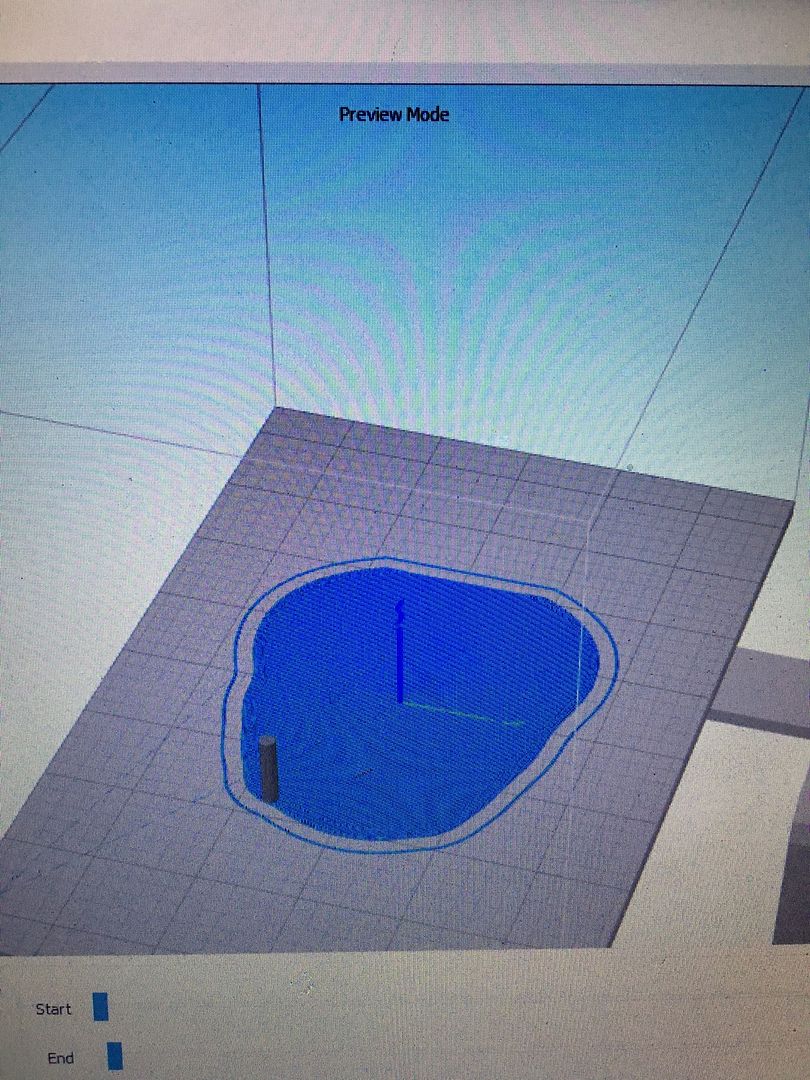
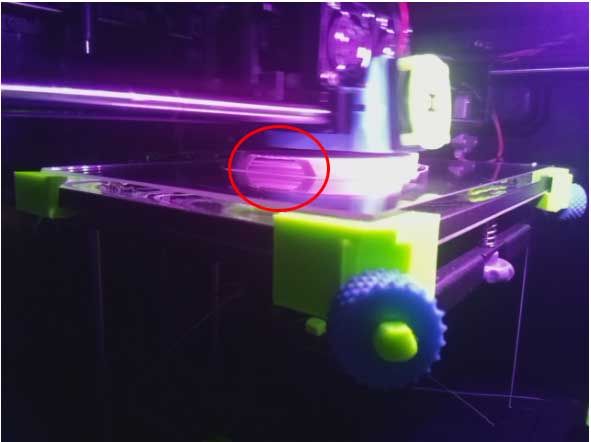
I'm trying to print a model and its supposed to be solid. When I slice it, it makes it hollow. If I turn the model say 90 degrees, it slices it differently. More solid, but still some hollow parts. Whats going on with this? I just wasted so much pla. Need to get in the habit of checking layer by layer before printing. See attached photos
What its supposed to be
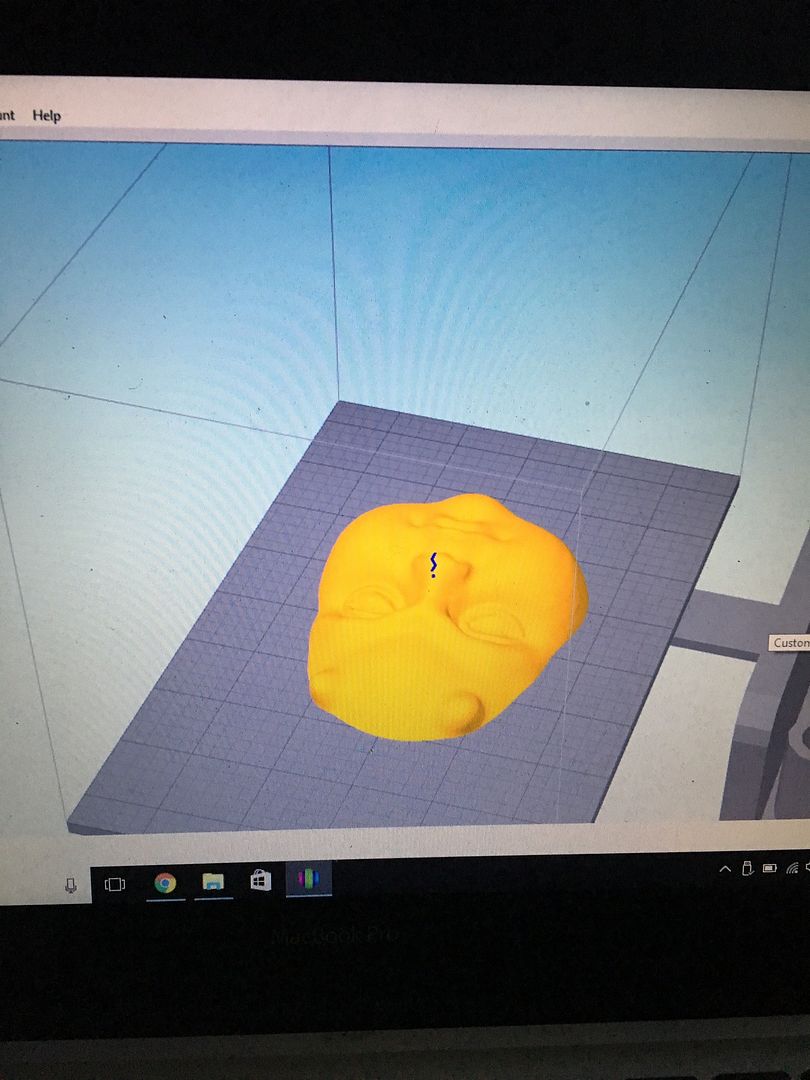
Oriented at 0 degrees
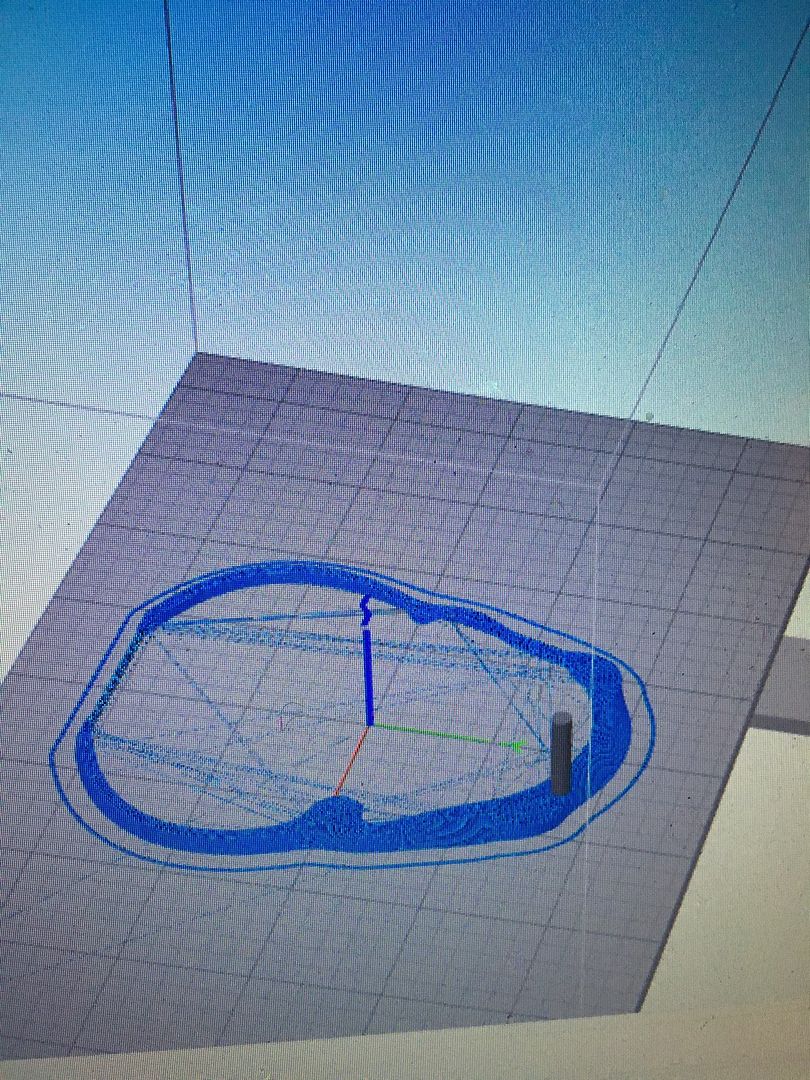
Oriented at 90 degrees (looks like it should, but on other side is empty space, didn't realize before I took the picture)
Webcam photo, can see its hollow on the side (at work right now)
 http://www.thingiverse.com/thing:1159859
Re: Slicing model incorrectly: Hollow when should be solid
Posted: Mon Sep 19, 2016 12:23 pm
by parallyze
Try playing around with the slicing behavior options (fff settings -> advanced). It's possible to print that model lying flat on the bed when using supports. But honestly - that STL has got so many errors, I wouldn't even bother trying to print it...
Try to uncheck "Merge all outlines into a single solid model" and use support to print it:
The hole under the chin can also be seen on the "I made one" pictures posted on thingiverse, I don't think it gets much better than this.
Re: Slicing model incorrectly: Hollow when should be solid
Posted: Mon Sep 19, 2016 12:32 pm
by sreisig1
Alright, thank you. Happy it wasn't just me. Ill mess around with the settings. Trying to get this printed for my sister in law.
Why would rotating the model effect how it slices though? Just curious for future models and prints.
Re: Slicing model incorrectly: Hollow when should be solid
Posted: Mon Sep 19, 2016 12:42 pm
by parallyze
sreisig1 wrote:
Why would rotating the model effect how it slices though? Just curious for future models and prints.
Whenever a model gives totally different results just by rotating it, the chances are it's just... not a clean STL file. To a certain degree you may repair stuff like this using netfabb for example. Or try to make the slicer stuff differently by adjusting the behavior. But from what I've seen so far one of the biggest disappointments in owning a 3d printer is to find out how many low quality/faulty meshes are out there...
Good luck with that print - I like the idea, not the faulty STL.

bye,
para
Re: Slicing model incorrectly: Hollow when should be solid
Posted: Tue Sep 27, 2016 11:15 am
by reemaj3d
It looks like there's an error in your file, have you checked and repaired the file? Try fixing it using one of the repair services. I usually fix my models using
https://makeprintable.com/
Re: Slicing model incorrectly: Hollow when should be solid
Posted: Tue Sep 27, 2016 11:39 am
by dkightley
I've just downloaded the file from Thingiverse and loaded the face shape. It loads standing up facing the front.
I reoriented it as follows: X: 90 Y: 0 Z: 87.42 and repositioned using the Centre and Rearrange button. NB Z value derived purely by rotating by mouse in the 3D view....totally unscientific!!!
I then went to the Advanced tab of the profile settings and ticked the Merge all Outlines into a Single Solid Model.
Prepare to print.....and viewing shows a fully sliced solid with infill pattern as set in the profile.