Page 1 of 3
Help me Calibrate
Posted: Tue Feb 11, 2014 3:00 pm
by raffo333
Hello, i am a new user, and it is almost 6 days that i am making various tests etc
My printer is a wanhao 4x (like flashforge)
Ive done alot of test, ive started with this
http://www.thingiverse.com/thing:52946
but with simplify3d i cant access the parameters of the article
I am traying to calibrate so i can gave functional prints, that fits and etc...
My best so far was using the extrusion multiplier to 0.8 on PLA print with 0.2 layer , but this setting alone makes the print very weak
I really need your help to point me to the right direction.
Thank you in advance !
Re: Help me Calibrate
Posted: Tue Feb 11, 2014 8:45 pm
by jimc
if you hover over the settings in the process panels it will give you a brief description of its function. i dont know what any of those settings are in your other post. none of those apply to any slicer i have seen. you are going to have to slowly tweak your setting print after print until you get something nailed down for each filament type and manufacturer you use. with that printer you wont be able to go off of anyone else's setting here. your will need to work out a good process the hard way. this is really the best way though because by the time your done you'll have a good feel for the slicer and tuning your machine.
Re: Help me Calibrate
Posted: Wed Feb 12, 2014 8:51 am
by raffo333
Hello and thank you!
But what workflow do you use to calibrate a printer ?
Is it every printer different or there is a basic approach and then for every specific printer some fine tuning ?
regards
raf
Re: Help me Calibrate
Posted: Wed Feb 12, 2014 5:48 pm
by jimc
well i guess i should ask in what way are you trying to calibrate it. are you just trying to come up with a process or setting to give you clean prints at certain layer heights? are you having trouble with your parts coming out over or undersized? if the printer is new you should focus on tuning your settings in creator for the filament you are using. all plastic types and manufacturers and even colors will require different settings...usually. once you are getting nice clean prints then pull out the calipers, measure and get it tuned for dimensional accuracy.
Re: Help me Calibrate
Posted: Wed Feb 12, 2014 6:04 pm
by raffo333
With PLA i am having decent prints but i am trying now to have accurate prints,
but i have no luck, when i gain in accuracy i have also week build prints ,
I am sure is about me and my setting thats why i am asking for infos and advices.
thank you
raf
Re: Help me Calibrate
Posted: Thu Feb 13, 2014 5:23 am
by raffo333
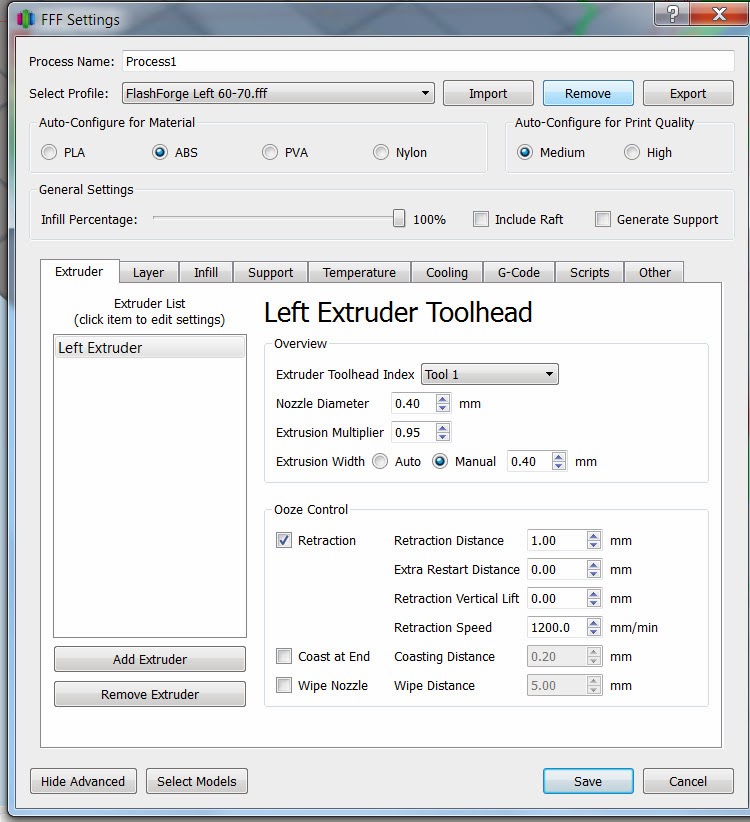
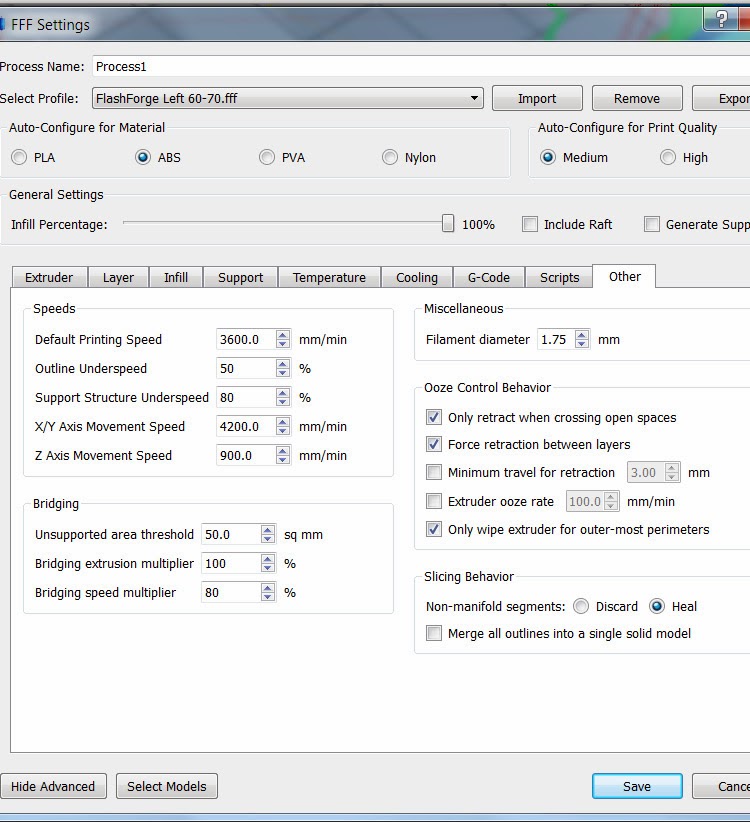
This is a test ive just did (ABS)
but i have some issues that you can see to the pic, and also the print is small and it dose not fit,fan place mesures 38.75mm
i used some settings found on this topic
https://groups.google.com/forum/?nomobi ... ZlLiRrDrvM
Layer 0.29
speed 60
Temps: 235/110
Infill 100%


Thank you in advance
Re: Help me Calibrate
Posted: Thu Feb 13, 2014 9:27 am
by jimc
yeah you have to try and get that print cleaned up a bit first. try turning your extrusion width to auto. you also need alot more retraction. bring that up to maybe 1.8mm. turn the retraction speed up to maybe 2500-3000. did you measure your filament and set that correctly? its hard to tell but it does look like your overextruding a little. when you are maybe 10 layers into the print the line edged should just touch. if they are squished together the turn down the multiplier if there is a small space between then it need to be increased. dimensionally accurate parts come down to the extrusion rate but you gotta get that printing really clean first. once you do that then its just a matter of adjusting the multiplier.
Re: Help me Calibrate
Posted: Thu Feb 13, 2014 1:22 pm
by raffo333
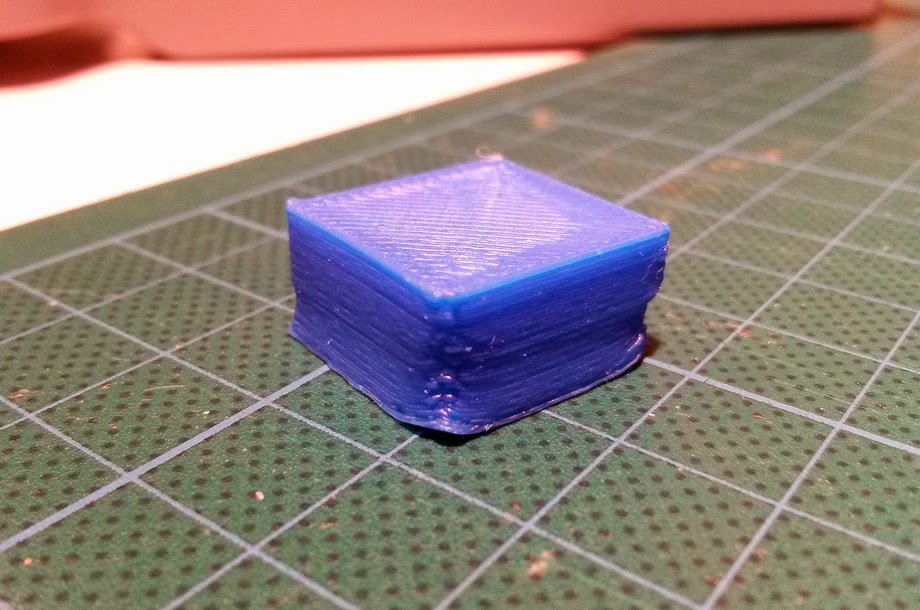
Ok going back to basics
ABS print on tape (glass bed)
20 mm box test
Using Simplify3D Default repl. 2x settings
Nozzle diam: 0.4
Extr. Multi: 0..95
Layer 0.29
Infill 20%
Temp 230/110
Filament 1.75mm
The extrusion seams more regular
Re: Help me Calibrate
Posted: Fri Feb 21, 2014 10:16 am
by raffo333
Hi there, ive made allot of tests and this is my best so far:#
I used the replicator 1 profile with 0.75 Extr. Multi. infill 100%
Its not bad, the corners are not perfect but my main issue now is accuracy
my 20x20x test cube measures 18.54x18.39
What can i do to be more precise ? other than just scale the object...
Thanks in advance
Raf
Re: Help me Calibrate
Posted: Fri Feb 21, 2014 11:30 am
by Festus440
The first thing I would do is reduce the infill to maybe about 25%.
A thick lump of plastic like that will hold heat too long and shrink more. That causes warpage which deforms the part and pulls the part off the bed. The pictures show that's happening on the corners of the part. (Injection molded parts typically have thin walls for the same reason. If the plastic is too thick it warps the part or develops visible sink marks in areas that are too thick.)
If the corners still lift off the bed try adding a brim at the bottom. Simplify 3D doesn't have a built in function for that but you can simulate it by adding a skirt and changing the offset distance to zero. Then increase the number of loops to maybe 5 or 10.