Page 1 of 1
New printer at work, we need a little help
Posted: Thu Apr 28, 2022 5:06 pm
by Todd_R
I have been printing at home for about a year now on Ender machines with no problem.
The boss decided we should have a printer at work so we bought a Modix Big 180-X
https://www.modix3d.com/big-180X
We just got it going, but are having quality issues. At certain layers we have filament bulging out and generally poor finish.
On the larger cubes we had the problems near the top & bottom. On the smaller cube we turned the temp up to 225 from 215 and decreased the multiplier from 1 to .9. Nozzle size is .6mm.
The defect is commonly seen (but not always) at the same height.
Any ideas?
Re: New printer at work, we need a little help
Posted: Wed May 04, 2022 9:33 am
by KOPrinting
Could be cooling? What filament is that and what cooling settings are you running? What's your print speed? Try decreasing it to see if giving the filament additional time to cool helps.
Are you printing a single perimeter?
Re: New printer at work, we need a little help
Posted: Sat May 07, 2022 9:54 am
by Todd_R
Could be cooling. I had the fan off for repairs. I recently repositioned it to a lower position.
3D FUEL STANDARD PLA+, set to all the recommended settings.
Have not been able to make another print as this POS machine lost it's settings again!
I'll let you know once I get it going again.
Re: New printer at work, we need a little help
Posted: Tue May 10, 2022 11:42 pm
by JaffH
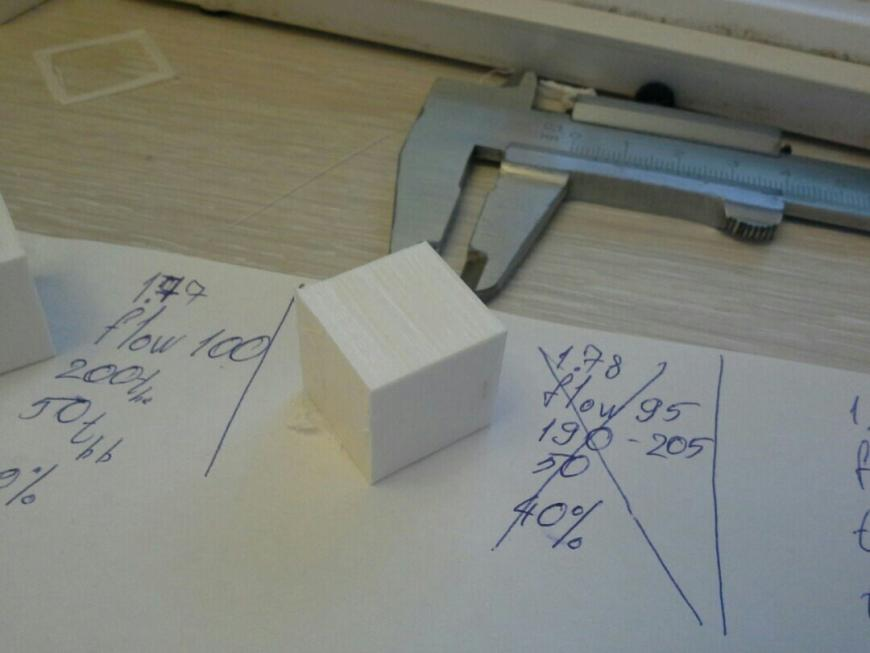
There may be cooling problems or drafts in the room. I don't have much printing experience, but one day I opened the window (it was quite hot inside, but cold outside) the layers printed at that time were like this.
Re: New printer at work, we need a little help
Posted: Fri May 20, 2022 4:51 pm
by alexis92
I actually faced a lot of problems using this printer, had to switch it out entirely.
Re: New printer at work, we need a little help
Posted: Thu Jun 02, 2022 7:20 pm
by Todd_R
Turns out they released some g code updates and macro updates (including moving the Z offset to the probe settings....duh!)
That fixed this problem.
How have they been selling these machines with bad software?
Re: New printer at work, we need a little help
Posted: Fri Jun 17, 2022 7:53 am
by grumpylion
I had this problem. I found cube on
upcoming slots and decided to print it. I printed a cube several times, with different temperatures, but
it turned out that the whole problem was in the belts. I tightened all the belts, just in case, because I read somewhere that such a 'bug' can happen. Backlash - perhaps along the Z-axis due to flexible couplings, which, in fact, would be nice to change to rigid ones.