The picture isn't displaying for me. Can you try attaching it again?
Without being able to see the photo it's hard to know for sure, but many times you just need to decrease the support pillar width to make sure the pillar can better support detailed features. Try using 1mm instead of 4mm for the pillar width.
Looks like images from my cloud server are not visible to you but are to me. Is there a way to upload images to this forum and display them inline?
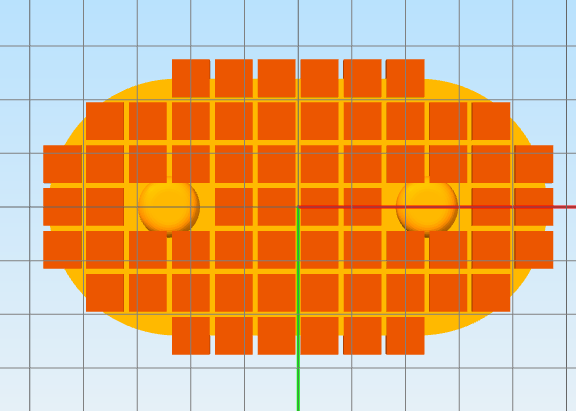
I don't think smaller pillars helps. It needs to place them so that all of the outlines is supported, not just some of it. It looks like it only adds a pillar where more than 50% of it would be covered by the object. It should add one where any of it is covered by the objects.
Last edited by nophead on Mon Dec 18, 2023 10:14 am, edited 1 time in total.
Yup, I can see the image now. Using smaller pillars should definitely help. Like you said, the pillar still needs to contact the part to be generated, but you basically get 4x increased resolution when you switch from 4mm to 1mm pillars.
Another easy option is to use the Support Inflation Distance if you just want to expand the supports by a predefined amount.