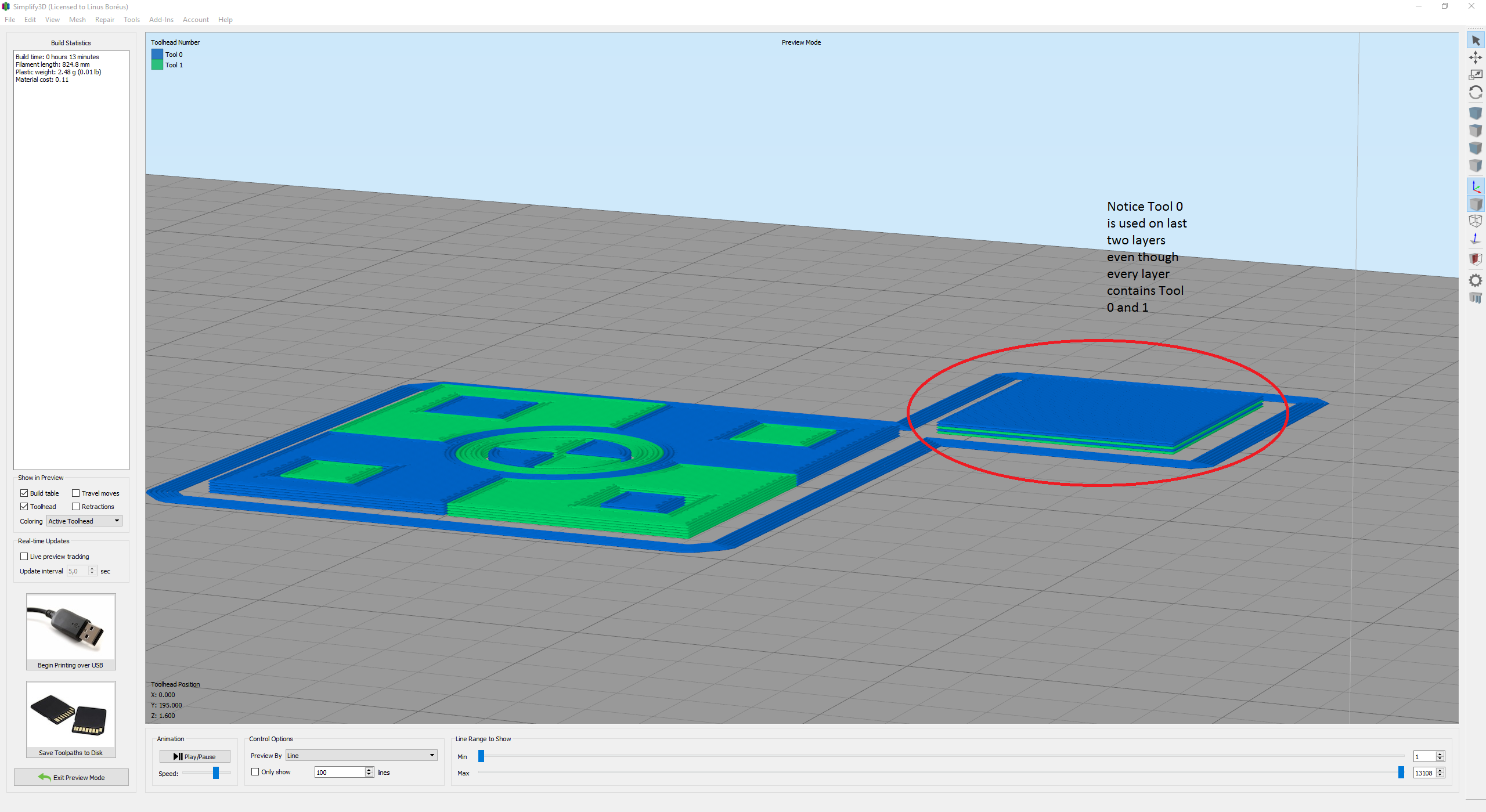
On the last layer of my dual colour prints, the very last layer, when it needs to change colour, it moves to the prime pillar and primes the CURRENT colour, then moves to the job to finish the colour change. And in doing so messes up the last layer.
Load up attached file in S3D 4 to see and screenshot
[FIXED] Prime Pillar not changing on last layer
- Attachments
-
- Screenshot
-
- RynoHire Keyring Dual x4 - face down.gcode
- Generated GCODE
- (957.04 KiB) Downloaded 187 times
Re: Prime Pillar not changing on last layer
I can confirm this I am also having the same problem:
Re: Prime Pillar not changing on last layer
I also encounter the same problem. Will it be fixed in next release?
Re: Prime Pillar not changing on last layer
This issue has now been fixed in Version 4.0.1. The prime pillar sequence for the last layer of the print has now been corrected for the situation mentioned above.
Thank you for reporting the issue!
Thank you for reporting the issue!
